



|
|||
|
|
|
|
|
|||
|
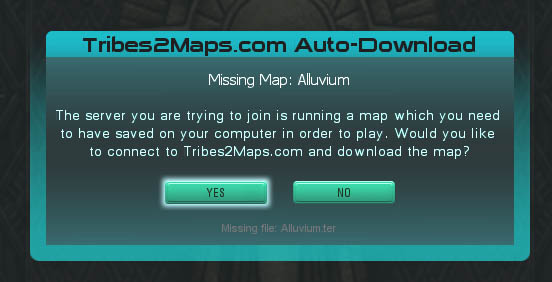
Tribes2Maps.com AutoDownload System [ Screenshots · Download ] Welcome to the first public release of the Tribes2Maps.com AutoDownload System. This is a combination Tribes 2 script and Visual Basic application. The two pieces work together to enable your Tribes 2 client to automatically download maps from www.Tribes2Maps.com when you attempt to join a game server that is running a client-side map which you do not have installed.
INSTALLATION: The installer will copy some files to the T2MAutoDownload folder within your Tribes 2 installation. It will also register a few Active X controls which are required for the Visual Basic portion of the system. All files that were created on your system during installation can be removed at a later date by running the uninstaller. After installation, there will be a shortcut to the uninstaller in your Programs menu. Note: If you get an error about a missing DLL file called MSVBVM60.DLL, then download it here. Copy it to your C:\windows\system32 or C:\WINNT\system32 directory and reboot. That should take care of the error.
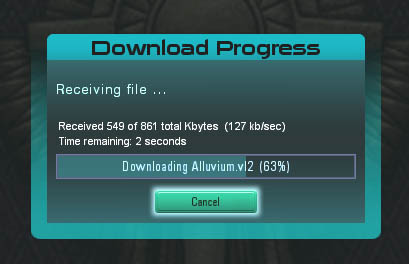
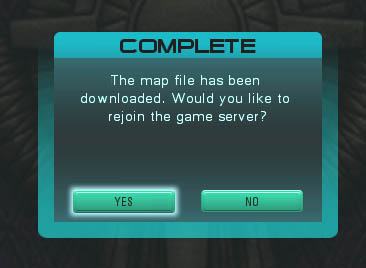
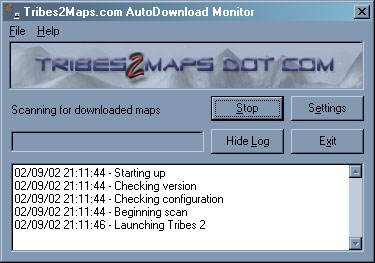
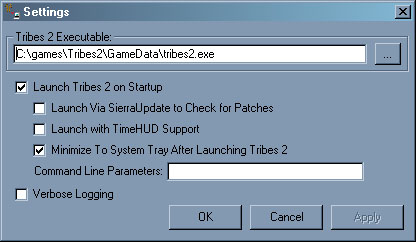
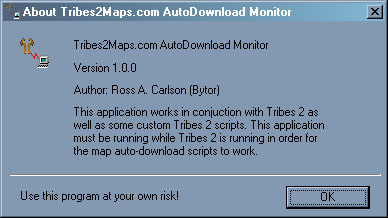
RUNNING THE PROGRAM: By default, Tribes 2 will be launched automatically once you start the AutoDownload system. You can change this behavior by modifying the settings in the program. You can also elect to have Tribes 2 launched via TimeHUD.exe if you use Panama Jack's script package. The installation program will automatically detect if TimeHUD.exe is installed, and preset the program settings to launch T2 via TimeHUD.exe if it is found. Within Tribes 2, if you attempt to join a server that is running a client-side map which you do not have installed on your computer, the script will ask if you wish to download the map from www.Tribes2Maps.com. If you choose yes, the script will connect to the web site and download the map file, and then give you the option of reconnecting to the game server. If for some reason the map is not found in the Tribes2Maps.com database, then an error message will be shown and you will be taken back to the game server listing. Once you exit Tribes 2, the AutoDownload Monitor application (the Visual Basic program) will automatically exit. NOTE: You MUST have the AutoDownload Monitor application running in order for the system to work. Otherwise, downloaded maps cannot be prepared for use by T2, and the T2 script will just hang waiting for the map to be prepared, and it will eventually timeout and display an error. For this reason, it is a good idea to get into the habit of starting T2 by first launching the Monitor application and letting it launch T2 for you.
VERSION HISTORY:
HOW IT WORKS:
KNOWN BUGS:
DISCLAIMER AND TERMS: FINAL NOTE:
         ____   _           ____                _
        | __ ) (_)  __ _   |  _ \   ___    ___ | | __ ___
        |  _ \ | | / _` |  | |_) | / _ \  / __|| |/ // __|
        | |_) || || (_| |  |  _ < | (_) || (__ |   < \__ \
        |____/ |_| \__, |  |_| \_\ \___/  \___||_|\_\|___/
                   |___/
         ___                               _   ___    ___
        / _ \ __      __ _ __   ____      | | / _ \  / _ \
       | | | |\ \ /\ / /| '_ \ |_  /   _  | || | | || | | |
       | |_| | \ V  V / | | | | / /   | |_| || |_| || |_| |
        \___/   \_/\_/  |_| |_|/___|   \___/  \___/  \___/
:-)
|
||||||||||||||||||||||||||||||||||||||||||||||||||||||||||||